
Growing up
Keep the little changes, day by day
Collect first steps, birthdays and first days at school—along with the ordinary moments on your phone—into a timeline.
Gather photos from phones and hard drives, everyday documents and family stories into a space you control.
You know you saved those first steps. You just can’t remember which USB drive or hard disk they’re on.
They’re safely stored, but seeing them again means plugging in drives and digging through folders.
So the moments that matter stay tucked away as files, instead of being part of everyday life.
When you can find them, see them and talk about them,Not just special occasions, but ordinary days too.
Keep your family’s story and everyday records in a way that feels like you.
Collect first steps, birthdays and first days at school—along with the ordinary moments on your phone—into a timeline.
Gather old photographs and scans, and add what you remember about the people and places in them.
Organize contracts, medical records and prescriptions by topic, so you can find originals and related records again.
Bring everyone’s photos from trips and gatherings into one album, then share the space with the people who belong there.
Bring things in, keep them organized, find them again and share them.
Everyone’s memories come together in one place.
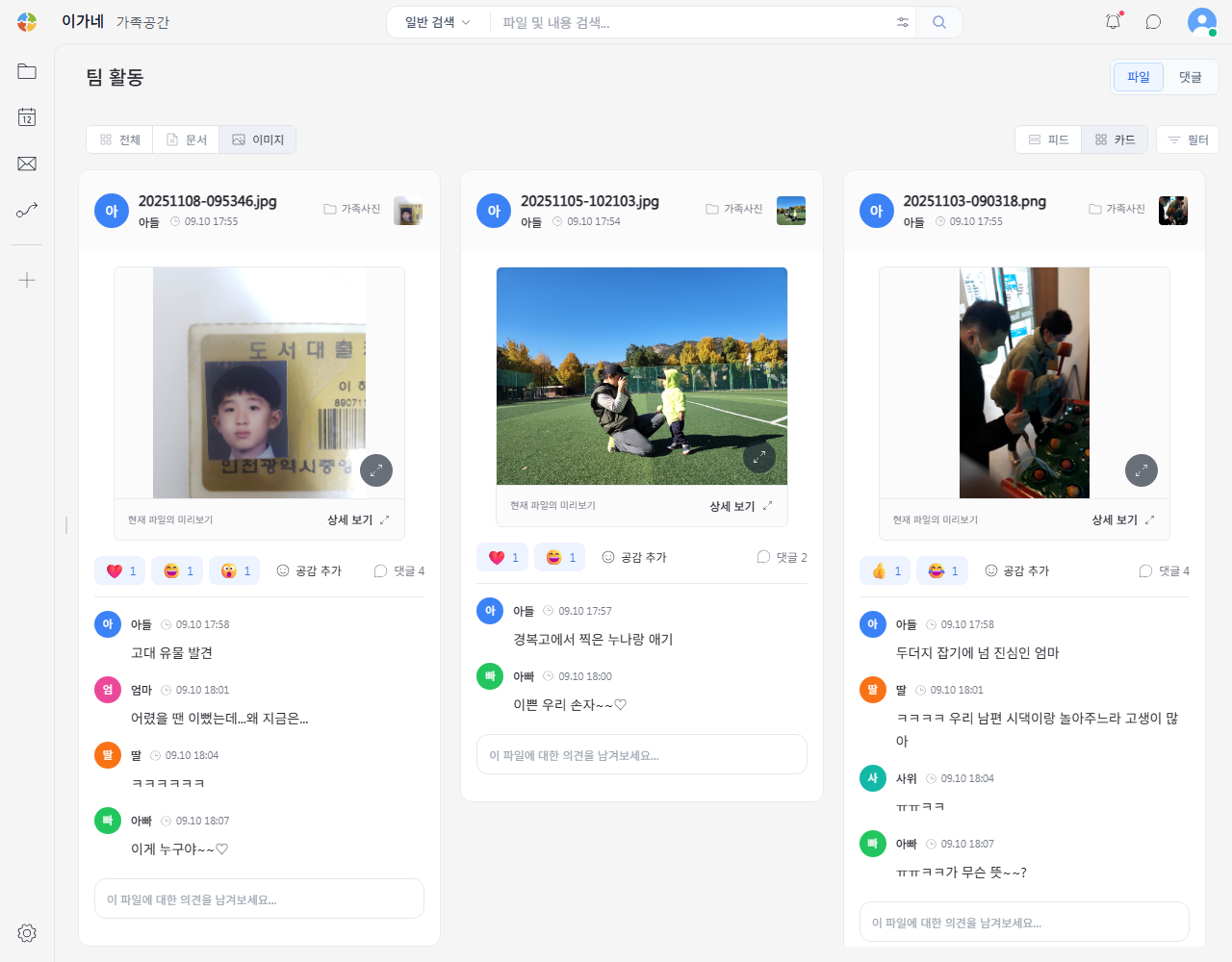
Gather photos, videos and documents from phones, external drives and cloud services into your own space.
Sort new photos and documents with rules, and connect OCR, file conversion and AI summaries to cut down on manual work.
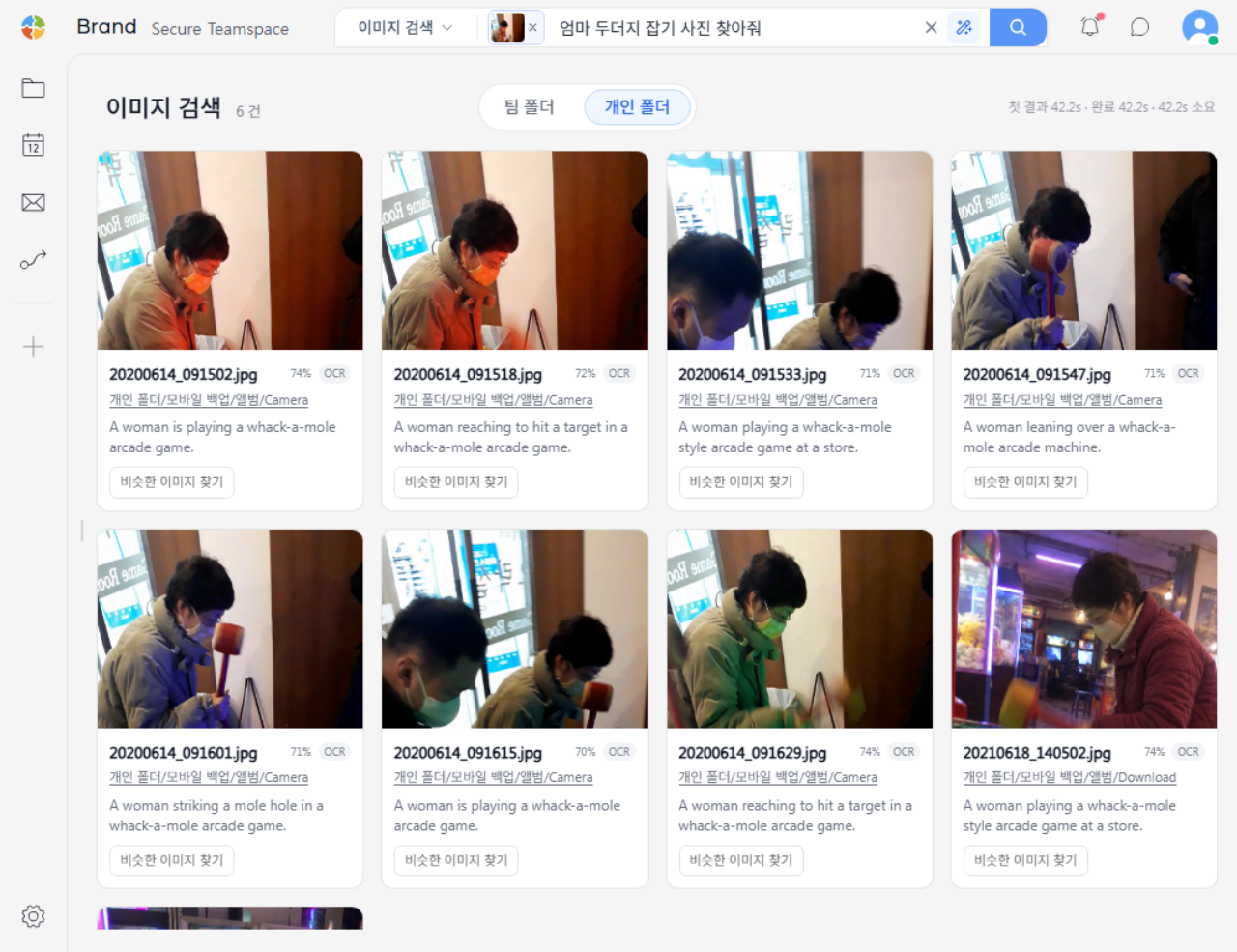
Use a reference photo or describe what you remember to find similar indexed images and documents, with their original locations.
Add accounts for family, friends and colleagues, then group them into teams. Set folder levels and view, add and edit permissions so each person sees only what’s intended for them.
Use a PC running SpaceBuilder as your home file server. Bring family photos and sensitive documents together, then access the spaces you need from your TV, phone or laptop with the same accounts and permissions.
Bring in photos and videos
Access personal documents
Watch your videos together
Upload a reference photo and describe the scene you’re looking for. AI uses filenames, related notes and tags to find matches. Searching by visual similarity also requires a configured local AI inference runtime with at least 8 GB of GPU memory.
Add family accounts and organize members into teams.
Set access roles for each folder to keep shared albums separate from personal documents. Invite guests to collaborate on work too.
Everyday memories and important documents, scattered across cloud services.
Bring them home. Start with one folder on a server you control, and take ownership of your digital life.