
Files
Search the names and contents of supported files, including PDFs and Office documents.
Search documents, images, chats, emails and comments by content and meaning. AI shows you the original source and file location instantly.
Find documents and images by their content, and open the original sources behind an AI answer.
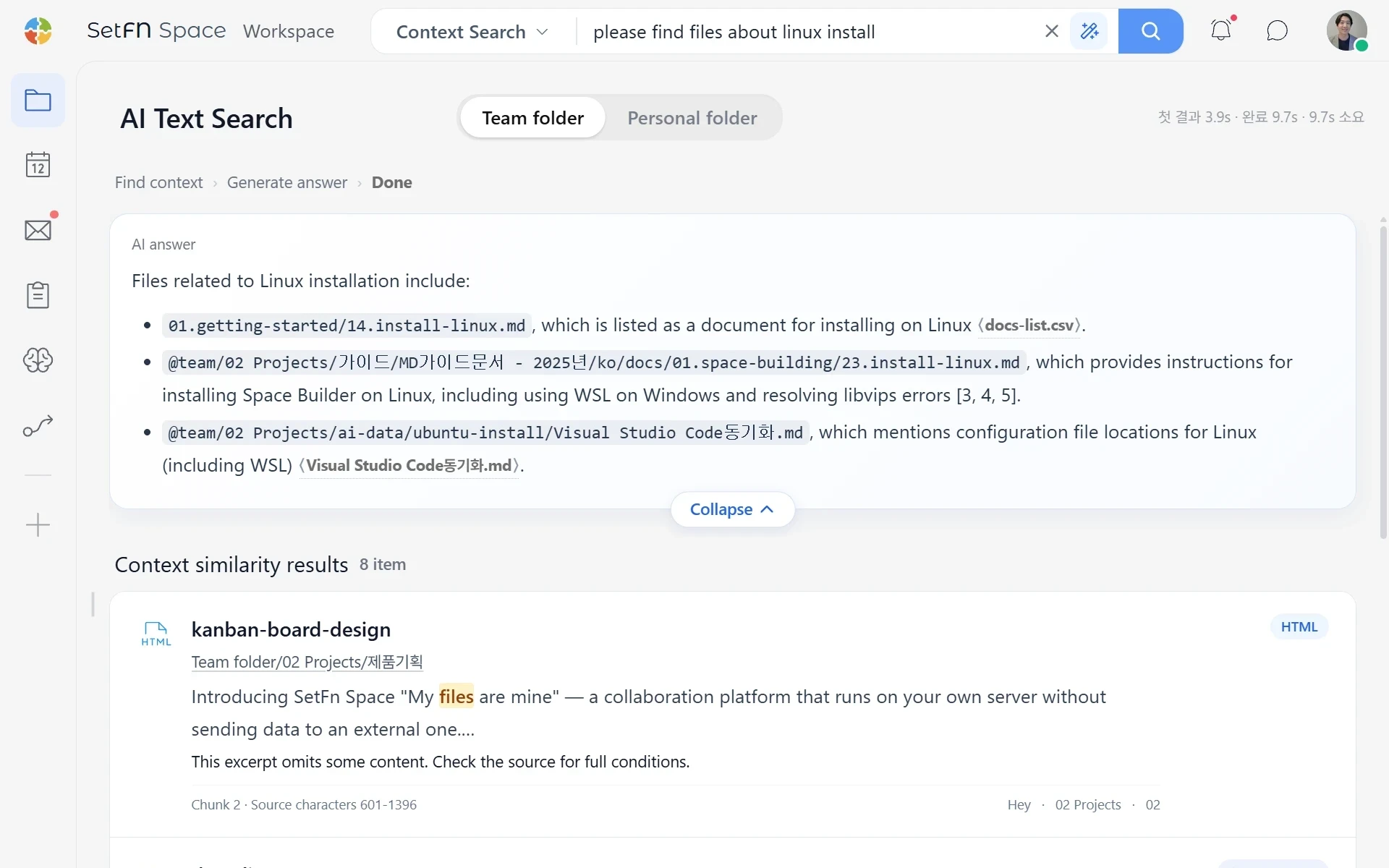
Search across your scattered information in one place. Results include only the content you have permission to view.
Search the names and contents of supported files, including PDFs and Office documents.
Search subjects, messages and attachments across connected mailboxes.
Find decisions and conversations in team chats and file comments.
Analyze text and scenes in screenshots, diagrams and photos to find similar images.
Search structured data such as customer records, schedules and approval documents.
In-house AI tags key characteristics of your content to help you find it more accurately.
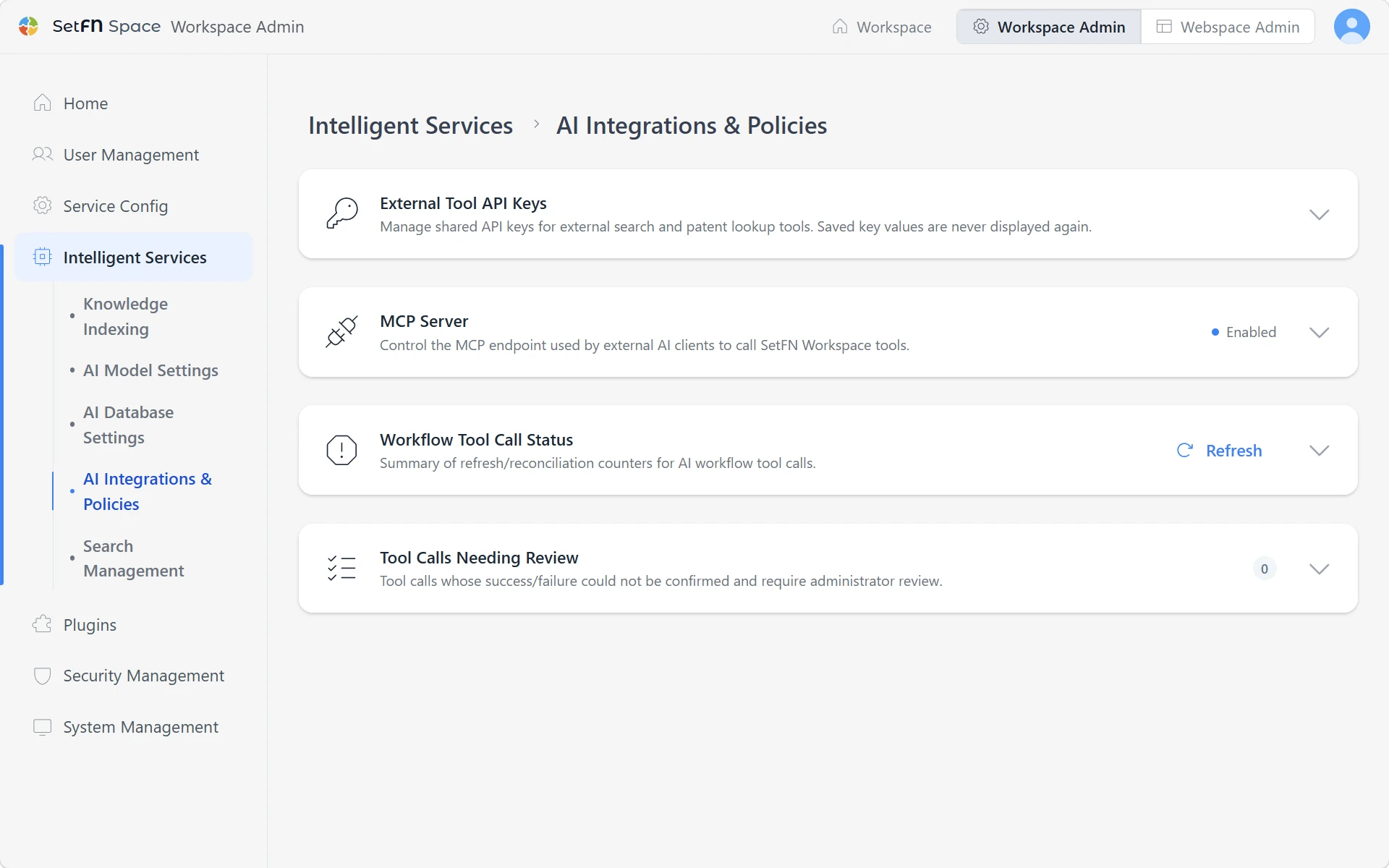
Administrators can review and control where data lives, who can access it and how it is searched.
Manage data location, user permissions, AI processing routes and search logs under one operating policy.
Connect in-house AI to prepare documents and images for search within your own environment.
Folder permissions apply to search too. Files you cannot view stay out of results and answers.
Administrators choose when in-house AI or approved external AI can be used, based on the sensitivity of the data.
Review who searched for what to support operations and security checks.
Your in-house AI analyzes documents and images in advance, preparing them for search so it doesn't have to reread every source for each query.
Vision models, editor autocomplete, AI chat and connections to your work tools Find files in chatAsk AI to create an eventSummarize long documents and workDraft an emailSave an AI conversation as a filePick up a saved AI conversationShare an AI conversation with teammatesFind documents with similar meaningSearch for text in imagesFind visually similar imagesGet suggestions as you writeDraft an email from its attachmentsLet authorized external AI read workspace filesLet authorized external AI edit workspace filesConnect external work tools through MCP
Administrators decide which capabilities to enable and where they can be used.
Find relevant information and its exact location, then open the original material behind the answer.
Get started for free